
How to Build an Email List That Sells Out Events
Every platform you sell on can change its terms, raise its fees, or disappear, and when it does, the one thing you get to keep is your email list. That is the whole case for building one. A social following belongs to the algorithm, a marketplace audience belongs to the marketplace, but a list of people who opted in to hear from you directly is an asset you own outright and can carry to any tool, any platform, any city you expand into. For a for-profit organizer, it is the closest thing to a moat you have.
Most promoters know this in the abstract and still do not have a usable list, because list-building sounds like a separate marketing project on top of running events. It is not. Every event you already run is a list-building machine: people visit your event page, people buy tickets, people walk through your door. Each of those is an email you could be capturing, and if you set it up once, the list grows on autopilot every time you sell a show. The work is not collecting emails one at a time. It is wiring your existing touchpoints so they all feed one list.
This guide covers where those emails actually come from, how to capture them without adding friction to a sale, what to do with the list between events so it stays warm, and the consent rules that keep you out of trouble. The payoff is compounding: your fifth event sells faster than your first because the audience from the first four is sitting in one place, waiting to hear the next date.
Why the list is the only asset that survives a platform switch
An email list is the single marketing asset a platform cannot take from you, which is exactly why it should be the one you protect. When Bending Spoons bought Eventbrite in 2026 and moved advanced email tools into paid Pro tiers, the organizers who came out fine were the ones who had already exported their contacts and could email their audience from anywhere. The ones who had let the platform "own" the relationship were suddenly renting access to their own buyers.
Owned reach also beats borrowed reach on pure economics. Email marketing has long posted an average return in the range of $36 to $42 for every $1 spent, per widely cited benchmarks from the Data & Marketing Association and Litmus, because you are not paying per impression to reach people who already raised a hand. Compare that to an Instagram post, where a platform decides how many of your followers even see it, or a paid ad, where reaching the same person twice means paying twice. The list is the channel where your audience size and your reach are the same number.
Think of a list target in local terms, not vanity terms. For most mid-size promoters, an engaged list of 1,000 to 5,000 contacts in your actual market can carry an event on its own. Fifty thousand addresses that never open a send are a deliverability liability, not an asset. Grow for engagement, prune the dead weight.
Where the emails actually come from
You already generate email addresses at three points in every event cycle: when people visit your event page, when they buy, and when they show up. The mistake is letting each one live in a separate silo, so your checkout emails sit in your ticketing platform, your door sign-ups sit in a clipboard photo, and your website form sits in a spreadsheet nobody merges. A real list is one place all three flow into.
Here is how the common sources stack up on yield and effort, so you know where to spend your attention.
| Capture source | Typical yield | Effort to set up | Notes |
|---|---|---|---|
| Checkout (ticket buyers) | Highest, near 100% of buyers | None if your platform auto-captures | Every buyer already gives an email; the only question is whether it lands in your list |
| Event page visitors | Moderate, the browsers who did not buy yet | Low, one embedded form | Captures demand you would otherwise lose forever |
| Door and on-site (QR, table tents) | Situational, best at engaged events | Low to medium | Turns attendees who bought elsewhere or came as a +1 into contacts |
| Wifi splash page | High at venues that gate wifi | Medium, needs venue cooperation | People will trade an email for connectivity |
| Instagram bio and stories | Slow but steady | Low | Converts social followers into owned contacts |
The pattern to notice: your ticket buyers are the richest and cheapest source, and most organizers waste them by treating the ticketing platform as a system of record they never touch again. If your platform captures buyer and visitor contacts automatically and drops them into one list you control, most of your list-building is already done before you ever set out a sign-up card. That is a core reason to run events on a platform like TickPick Organizer that treats your audience as your data, with Audience Contacts building from every visit and order and a CSV import for the lists you already have.
Capture at the door without slowing anything down
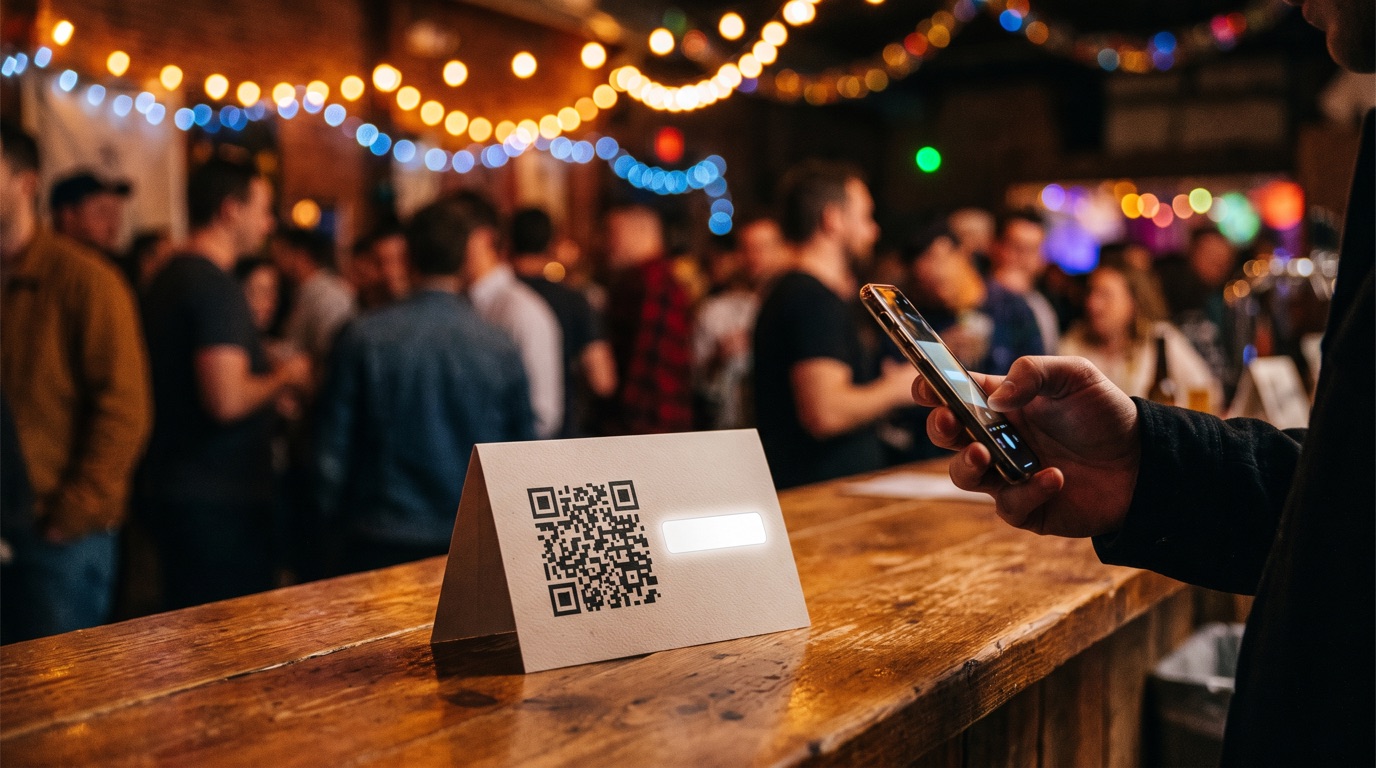
On-site capture works when it costs the attendee nothing and interrupts nothing. The winning formats are passive: a QR code on table tents and the bar, a sign-up card at will-call, and a wifi splash page that asks for an email before it lets someone connect. Each of those lets a person opt in on their own phone, in their own time, without a staffer chasing signatures.
The single highest-yield on-site tactic is gating something people already want. A wifi splash page is the cleanest version: at a venue where guests need the wifi, asking for an email in exchange is a fair trade almost everyone makes. Short of that, a QR code that unlocks the set times, the afterparty location, or a chance at a free ticket gives people a concrete reason to scan. A bare "join our mailing list" card converts a fraction of what "scan for tonight's set times" does, because one offers a benefit and the other asks for a favor.
Whatever you put on that QR code or splash page has to clearly say people are opting in to marketing emails, and from whom. Hiding the marketing consent in fine print is the kind of thing that gets challenged. Every message you send after that has to follow CAN-SPAM: a real physical mailing address and a working unsubscribe link you honor promptly. Once you send in any volume, Gmail and Yahoo add their own rule on top, requiring bulk senders to support one-click unsubscribe. Capture honestly and the list you build is one you can actually use.
Whatever you collect at the door has to merge into the same list as your online captures, ideally through an embeddable capture form or widget that writes straight to your contacts rather than a standalone tool you export from later. The goal is one list, one export, one source of truth, not a scavenger hunt across four systems the week before your next on-sale.
Keep the list warm between events
A list you only email when you have tickets to sell is a list that forgets you. The fix is a light touch between events: roughly monthly, enough that your sender name stays familiar without training people to ignore you. This is the difference between an on-sale email that gets opened because the audience recognizes you, and one that gets deleted because the last time they heard from you was eight months and one venue ago.
What you send between events does not have to be elaborate. A photo drop from the last show that people want to find themselves in, the next date as soon as you have it, a lineup or news beat, or a short note pointing regulars to an attendee-only presale code all do the job. The point is recognition and a little momentum, not a newsletter with a production schedule. When you do have something to sell, the mechanics of the send matter, and getting the subject line right is worth more per character than anything else in the email, which is a craft worth studying on its own in our guide to event email subject lines that sell tickets.
Email is also not the only owned channel, and the strongest promoters run it alongside text for the moments that need speed. Email carries the pitch, the lineup, and the story between events; SMS carries the deadline in the final stretch, and the two reinforce each other rather than compete. If you are building an owned audience, build both at once, using the same clean opt-in, and pair this with the SMS marketing playbook for events so your fastest channel is registered and ready before your next big on-sale.
How big the list needs to be, and why engagement beats size
The real answer to "how big" is that you are optimizing the wrong number if you are counting addresses. What sells tickets is the count of people who open and click, and that figure is a function of how you built the list, not how large it is. A list of 800 people who opted in at your events and open two of every three sends will outsell a bought list of 10,000 who never asked for you, every time, because the second list also tanks your deliverability and lands you in spam folders where even your engaged fans stop seeing you.
Reported open rates for event and entertainment email cluster loosely in the 20% to 35% range depending on the source, but treat any single number with suspicion. Since Apple's Mail Privacy Protection arrived in 2021, Apple Mail auto-loads images and marks a message opened whether or not anyone read it, which inflates the figure across every platform's benchmarks. Plan around a fraction of your list acting on any given send, and watch clicks and orders as the truer read on engagement. That reframes the goal: a smaller, cleaner, local list that reliably acts is the asset, and the work is protecting it. Prune addresses that have not opened or clicked anything in a year, never buy or rent a list, and make every new contact one that genuinely opted in. Growth and hygiene are the same project.
Build one list, fed automatically by every event you already run, and treat it as the asset you keep when everything else changes. Capture buyers at checkout, browsers with an embedded form, and attendees with a QR or wifi gate, then send a light monthly touch so the list stays warm. Optimize for genuine engagement and export rights, not raw size. A platform that auto-captures contacts and lets you take them anywhere is doing the heaviest part of this for you.
FAQ
How do I collect emails at my event?
Put a capture point everywhere people already stop: a QR code on table tents and the bar, a sign-up link in your Instagram bio and event page, and a wifi splash page that asks for an email before it grants access. The highest-yield source is your own checkout, because everyone who buys already hands over an email. The trick is making sure those checkout emails and your on-site sign-ups all land in one list instead of three disconnected exports.
How big should my event email list be?
Size matters less than engagement, but a working benchmark is that an engaged list of 1,000 to 5,000 local contacts can reliably move a mid-size event on its own. What actually predicts sales is the open rate and the click rate, not the raw count. A list of 800 people who opened your last three sends is worth far more than 8,000 addresses scraped from a giveaway who never asked to hear from you and drag down your deliverability.
Can I export my contacts from my ticketing platform?
You should never use a platform that says no. Your buyer contacts are your data, and a reputable ticketing platform lets you export the full list to CSV any time, plus import your existing contacts in. If a provider locks your audience behind their walls or makes export deliberately painful, treat that as a reason to leave, because a list you cannot take with you is not really yours.
What should I send my list between events?
Enough to stay familiar, not so much that people forget why they subscribed. A monthly note works for most promoters: the next date, a lineup or news beat, a photo drop from the last show, or an attendee-only presale code. The goal between events is recognition, so that when your next on-sale email lands, the sender name is one they trust instead of one they have to place.
Related Posts
Which Channel Actually Sold That Ticket?
Your channel report never adds up to your ticket count, and the fix isn't a better attribution model. It's one tracking link per placement, decided before you post anything.
Where to List Your Event for Free (and Where Not to Bother)
Most free event listing sites sell zero tickets. Here are the ones worth your time, what each actually costs once you read the fine print, and how to prove which one sold a ticket.
How to Promote an Event on Instagram: A Promoter's System
Follower-count broadcasting stopped working. Here's the weekly Instagram system that sells tickets: collab posts, sends, story countdowns, and what to boost.